
Compensation Surveys Made SENSIBLE
Wage and benefits survey software built for the questions Economic Developers, industry associations, and HR teams actually ask. Run it yourself, or engage us to run the survey end to end.
See it in action
Here's what the platform looks like in day-to-day use.
Getting started
Wage & Salary Survey Planning
Most programs start from our benefits survey template and adjust from there, or create a custom survey of their own. As an add-on, we can work with you to understand your needs and goals, recommend changes, update the questionnaire for you, and keep the structure consistent so your data stays comparable year over year.

Use cases
Three ways Economic Developers put the data to work
The same platform supports a paid membership that gates the data, a paid report you can resell, or a free public-service program. Most teams start with one and add the others as the program matures.
Pay to participate
Make participation a paid program
Charge an annual fee or membership for participation. Participants get the full report; non-participants pay a higher price for the report, or are gated out entirely. Recurring revenue plus a built-in incentive to participate.
Sell the report
Package and resell the analysis
Collect the data once, then sell the compiled, anonymized report to local businesses, site selectors, and consultants who need county-level comp data they cannot get anywhere else. Turns the survey into a revenue line.
Public resource
Support local employers
Offer the survey free to local participants and hand back anonymized benchmarks. Builds your authority as the source for local compensation data, and gives every employer in your region a number they can defend.
Hybrid models work too. Free for participants, paid for non-participants is a common starting point.
What you get
Whether you engage us to survey your participants or you run it yourself, you receive a year's access to the fully-featured Sensible Surveys platform.
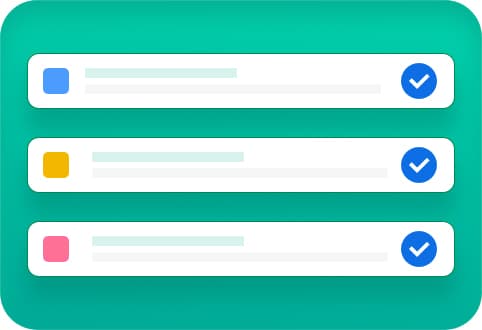
The Sensible Surveys Platform
Our fully-featured software makes requesting compensation surveys, collecting answers, and distributing results easy for everyone.
Advanced Benefits Survey Template
The default benefits template covers every aspect necessary at industry and enterprise levels. See the full list below.
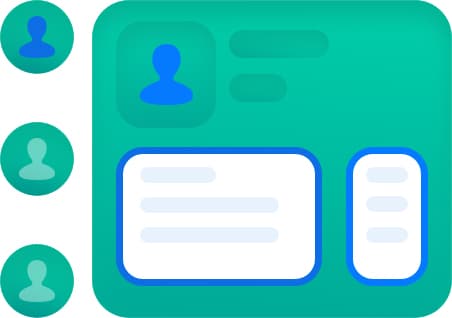
Compensation Module
Customizable analytics dashboard with sorting, searching, and filters by industry sector, company size, employee types, shift types, and career path.
Platform capabilities
Everything you need to run a wage and benefits survey
The full system: build your survey, manage participants and reminders, then analyze the results without exporting to a separate tool.
Build
- 12 question types, including matrix, numeric, SOC-code picker, and free text.
- Branching logic shows or hides questions based on prior answers.
- Multi-page sections with autosave so participants never lose progress.
- Schedule, pause, extend, or close any survey from the admin.
- Run multiple surveys simultaneously under one license.
- Editable pre-built template as a starting point, or build from scratch.
Manage
- Bulk-upload participant lists from a CSV, no manual entry.
- Automatic reminders to non-starters and participants whose progress has stalled.
- Magic-link sign-in drops participants straight into their survey from the invitation email, or they can sign in with email and password.
- Edit participant records, reset passwords, and resend invitations from the admin.
- Per-participant progress with status badges (invited / in progress / submitted) and last-activity timestamps.
- View individual responses or compiled aggregates. Switch views in one click.
Analyze
- Charts and data side-by-side. Toggle charts-only, data-only, or both.
- Histograms, stacked bars, matrix heatmaps, and compensation curves.
- Median, mean, and ±1 std-dev overlays on every wage distribution.
- Percentile bands (25th / 50th / 75th / 90th) by role and SOC code.
- Filter and slice by any question you choose: industry, business size, employee type, shift type, career path, even county or region.
- Safe Harbor anonymization applied to every participant-facing results view automatically.
- Returning-respondent prefill: prior responses pre-fill the next cycle, so participants only update what changed.
- Excel, CSV, and branded PDF exports for admins.
Participant Assistance
A great survey is only useful if participants complete it. We can help every step of the way.

Intro & Follow-up Phone Calls
US-based, full-time staff make calls to establish trust, help participants complete surveys, and explain the value of participation.

Welcome & Follow-up Emails
Personalized, automatic emails inform participants where they are in the process and remind them as deadlines approach.

Video Calls
We provide video calls to help participants get logged in and answer questions about how best to report their situation.
Survey Marketing
Participation is the difference between a half-finished spreadsheet and a benchmark you can defend. As an add-on service, we can help you frame why participating matters to your audience: the data they get back, how their numbers compare, and why the survey is worth their time. Combined with the outreach above, this keeps completion rates up.
Optional add-ons
- Dedicated survey microsite. A branded landing page where invitees learn about the survey, see who’s behind it, and start participating.
- Promotional video. A short explainer we produce that you can embed in invitation emails and on the microsite.
- Email campaign templates. Invite, reminder, and results-released emails written in your voice and ready to send.
- Infographic results visualization. A poster-style summary of the headline findings, sized for board packets, press releases, or member newsletters.

What the benefits template covers
Every category in the default 174-question benefits template, grouped for skimming. You can edit, remove, or add to any of these.
Time off & leave (8)
- Paid Time Off
- Vacation
- Paid Sick Leave
- Paid Holidays
- Bereavement
- Jury Duty
- Family Medical Leave Benefits
- Christmas / Holiday Events
Insurance (7)
- Life Insurance
- Medical Insurance
- Prescription Drugs Plan
- Vision Insurance
- Dental Insurance
- Short Term Disability
- Long-Term Disability
Retirement & long-term benefits (6)
- Retirement Plans
- Pension Plan
- Profit Sharing
- Service Awards
- Education Assistance
- Retiree Benefits
Wellness & work-family (8)
- Wellness Program
- Workplace Wellness
- Health Assessments
- Cafeteria Plan
- Section 125 Plan
- Work / Family Policies
- Child Care
- Annual Events Benefits
Background & policy (3)
- Background Information
- General Working Policies
- Part Time Employees
Learn more
How compensation surveys work, and what changes when you run one in a specific industry.
Compensation surveys explained
The four types of survey, how to choose a market cut, and the free templates to start from.
Manufacturing wage survey
SOC codes for production roles, shift premium structure, and small-cohort confidentiality.
How to run a wage and benefits survey
The complete methodology guide, from instrument design through publishing results.
Complex surveys to send and don’t know where to start?
Book a 20-minute demo. We’ll show you the system, talk through your goals, and tell you whether we’re a fit. No pressure.