
Free template
Employee benefits survey template
The 174-question instrument we ship with the platform, available as a standalone template you can edit and field yourself.
What you are getting
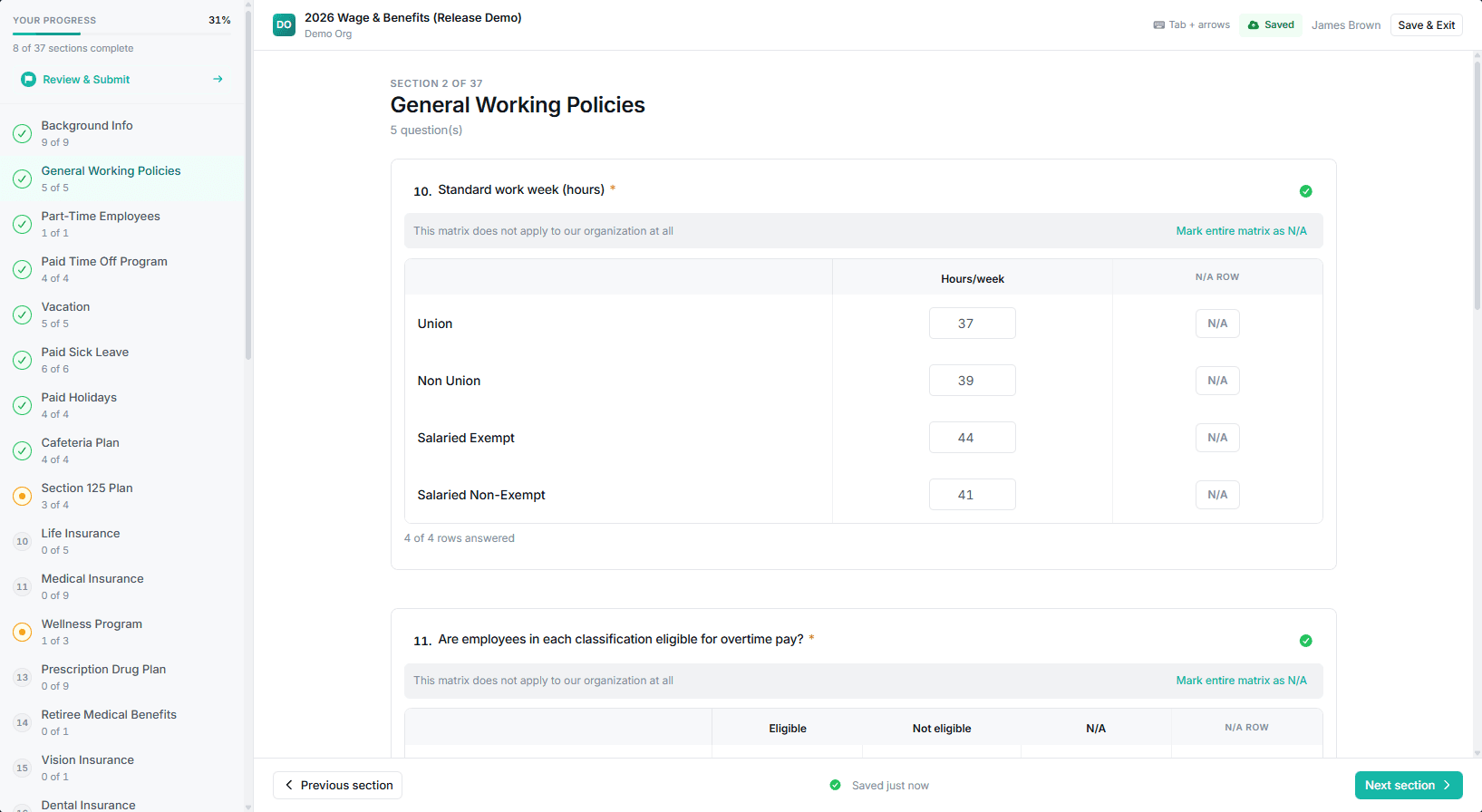
This is the default benefits instrument from the Sensible Surveys platform, exported as an editable template. It covers medical, retirement, paid time off, leave, insurance, and professional development, with every question written in a structured format so the answers aggregate.
Most programs use it as-is or make minor tweaks. The categories, wording, and structure are stable enough that you can field it without a major rewrite, and small edits (removing a section your cohort does not need, or adding a sector-specific item) take a few minutes.
Inside the template
- 174 questions across seven categories. Medical and ancillary, retirement, paid time off, leave, life and disability, wellness, and development.
- Structured answer formats throughout. Selections, rates, and numbers rather than free text, so results can be aggregated and charted.
- Notes on what each question is for. Short annotations explaining why a question exists, so you can decide what to keep with some basis.
- Ready for year two. Question wording is written to stay stable across cycles, which is what makes a trend line mean anything.
Get the benefits survey template
Tell us where to send it. The editable template arrives by email, PDF attached, usually within a few minutes. No sales call attached.
Adapting it to your program
Step 1
Cut before you add
Work through it once and delete every section that does not apply to your audience. A shorter instrument finishes at a higher rate, and completion is what determines whether anything publishes.
Step 2
Check each question against your suppression threshold
A question only publishes if enough distinct employers answer it. For a small cohort, decide early which detail you are willing to lose so you are not surprised by a redacted report.
Step 3
Add the items specific to your sector
Apprenticeship support in manufacturing, certification and loan repayment in healthcare, sabbatical policy in nonprofits. These are usually what participants most want to see.
Step 4
Have someone check it before it goes out
A per-question pre-launch review comes with Done-For-You engagements and is available as a paid add-on on the self-serve license. If you are fielding this on your own, at minimum get a second reader who will call out ambiguity before you send.
Keep reading
Benefits survey questions
The reasoning behind the categories, and how to word benefits questions so answers stay comparable.
Salary benchmarking template
The wage side: occupation by career level, with percentile bands in each cell.
How to run a wage and benefits survey
The complete methodology, from writing comparable questions through publishing results.
Complex surveys to send and don’t know where to start?
Book a 20-minute demo. We’ll show you the system, talk through your goals, and tell you whether we’re a fit. No pressure.